
NordVPN Plus, Norton 360 Premium 2026, and NordVPN Standard offer solid coverage for 2026. You get up to 10 devices on one year for all three, with VPN protection plus extras like password managers, malware scanning, and dark web monitoring. Norton adds AI scam protection and 75 GB cloud backup; NordVPN includes dark web alerts and 24/7 support, plus secure storage. Compare price, auto-renew terms, and trials to choose what fits your budget and devices. More details ahead.
| NordVPN Plus: 10 Devices 1-Year VPN & Password Manager | 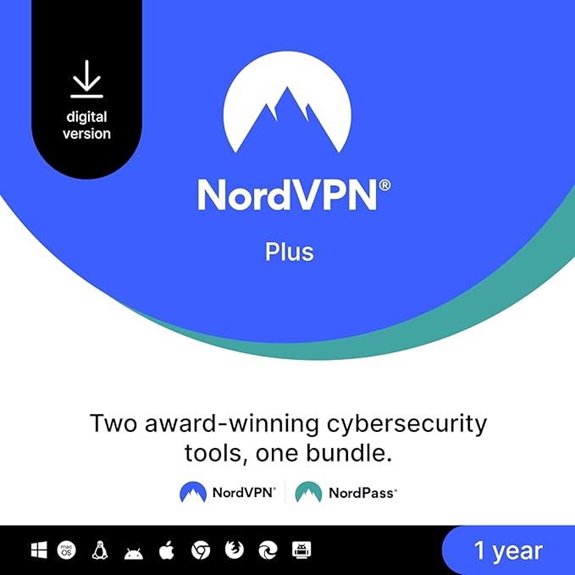 | Best Overall Security Bundle | Devices Supported: Up to 10 devices | One-Year Term: 1 year | VPN Included: Yes (VPN) | VIEW LATEST PRICE | See Our Detailed Review |
| Norton 360 Premium 2026: Antivirus + AI Protection | 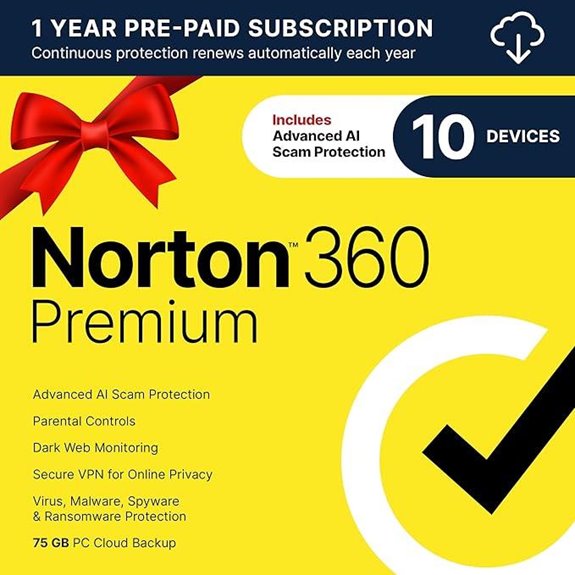 | AI-Driven Shield | Devices Supported: 10 devices | One-Year Term: 1 year (2026 Ready) | VPN Included: Yes (VPN) | VIEW LATEST PRICE | See Our Detailed Review |
| NordVPN Standard 10 Devices 1-Year VPN & Cybersecurity Digital Code | 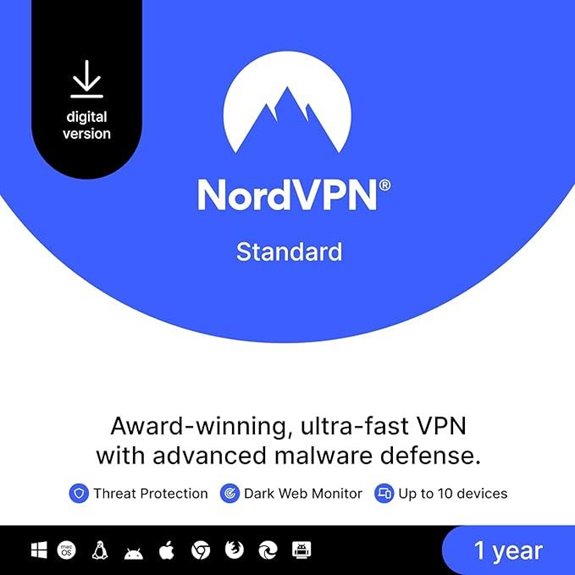 | Comprehensive VPN Suite | Devices Supported: 10 devices | One-Year Term: 1 year | VPN Included: Yes (VPN) | VIEW LATEST PRICE | See Our Detailed Review |
More Details on Our Top Picks
NordVPN Plus: 10 Devices 1-Year VPN & Password Manager
NordVPN Plus is a strong fit if you want a single bundle that covers security and password management across multiple devices, since it supports up to 10 devices for one year and includes NordPass’s password manager. You get VPN protection, malware scanning, data breach alerts, and secure credit card storage. The bundle keeps your passwords synced across devices, can generate and auto-fill them, and offers an OCR option for credit card info. Support is available 24/7, with fixes like changing protocols or using obfuscated servers. It’s a practical choice for organized, ongoing online security and privacy.
- Devices Supported:Up to 10 devices
- One-Year Term:1 year
- VPN Included:Yes (VPN)
- malware/Threat Protection:Malware scanning + threat protection
- Password/Privacy Tools:Password manager (NordPass)
- 24/7 Support:24/7 Support Center
- Additional Feature:Dark Web Monitor alerts
- Additional Feature:Data Breach Scanner
- Additional Feature:OCR credit card storage
Norton 360 Premium 2026: Antivirus + AI Protection
Norton 360 Premium 2026 stands out for its combination of antivirus protection and AI-driven features, making it a solid pick for anyone who wants security and privacy in one package. You get antivirus for up to 10 devices, including PCs, Macs, iOS, and Android, plus real-time protection against malware and ransomware. The AI-powered scam protection, via Genie AI Assistant, helps flag risky messages and sites. It also includes a VPN with bank-grade encryption, dark web monitoring, and 75 GB of PC cloud backup. Auto-renewal keeps protection active, and you can cancel anytime through your Norton account.
- Devices Supported:10 devices
- One-Year Term:1 year (2026 Ready)
- VPN Included:Yes (VPN)
- malware/Threat Protection:Real-time protection against malware & ransomware
- Password/Privacy Tools:Privacy-focused features (AI scam protection, dark web monitoring)
- 24/7 Support:Support included (implied via Norton assistance)
- Additional Feature:AI scam protection
- Additional Feature:75 GB cloud backup
- Additional Feature:Auto-renewal with easy cancellation
NordVPN Standard 10 Devices 1-Year VPN & Cybersecurity Digital Code
If you need solid multi-device protection for a full year, this plan fits the bill with 10-device support and a bundled VPN plus cybersecurity approach. NordVPN Standard includes malware/virus scanning on downloads, link protection, and ad blocking, plus Dark Web Monitor alerts for data leaks. It lets you change your IP on any network, helping you browse more safely at home, in cafes, or remote offices. It supports Windows, macOS, iOS, Linux, Android, Fire TV Stick, and more, with an option to install on routers. 24/7 support is available, and no extra antivirus is needed. Digital code delivery.
- Devices Supported:10 devices
- One-Year Term:1 year
- VPN Included:Yes (VPN)
- malware/Threat Protection:Malware/virus scanning + Dark Web Monitor
- Password/Privacy Tools:Password management included (NordPass integration implied)
- 24/7 Support:24/7 Support Center
- Additional Feature:Obfuscated servers
- Additional Feature:VPN protocol switching
- Additional Feature:Router installation option
Factors to Consider When Choosing VPN Subscription
When you pick a VPN, check Device Coverage Max to confirm how many devices you can protect at once, and look at Security Features Scope to see if it includes kill switch, DNS leak protection, and malware blocking. Also, verify Platform Compatibility across your computers, phones, and smart devices, and review Privacy Protections like no-logs policy and regional data handling. Finally, consider Performance Impact, noting any speed tweaks or bandwidth limits, and compare prices to balance features with value.
Device Coverage Max
Many VPN subscriptions support multiple devices at once, so check the maximum number of connections you can use simultaneously. Look for coverage that matches how many people or gadgets you protect, not just the core computer. Many services cover Windows, macOS, iOS, and Android, so confirm full compatibility with your devices. A higher limit, like 10 or more devices, helps families or users with several gadgets. Some providers offer router support, which protects every device on the home network without counting individually. Easy device management matters too—you should be able to add or remove devices without hassle. Prioritize plans with clear limits, predictable performance, and the option to adjust coverage as needs change.
Security Features Scope
A solid VPN subscription should go beyond basic tunneling and include security features that protect you in real life, such as malware scanning, dark web monitoring, and IP address switching. You want a service that scans downloads for threats, alerts you if your data shows up on illicit sites, and lets you change your IP to stay private on different networks. Look for ad blocking and safe link filtering to reduce phishing and unwanted distractions. Reliable options also provide 24/7 customer support to help with connectivity issues. Consider how quickly alerts arrive, and whether the provider explains protections in plain language. These features work together to boost protection without complicating your browsing. Aim for clear, practical coverage that fits your budget.
Platform Compatibility
Platform compatibility matters because you want a VPN that fits all your devices and networks. You should confirm support for Windows, macOS, iOS, Android, and Linux so every main device stays protected. Check that it works with smartphones, tablets, smart TVs, and routers to cover your home or office network. Look for the ability to connect multiple devices at once, ideally five or more, so everyone can stay protected without signing in and out. Ensure the app is user-friendly across operating systems, with clear menus and quick setup. Some providers offer dedicated apps for less common systems, which helps complete coverage. Also verify ongoing updates and easy reinstallation if you upgrade a device. Your goal is simple, reliable, broad coverage.
Privacy Protections
Privacy protections matter, and a solid VPN should stack up strong defenses to keep your data safe online. When choosing a subscription, look for Dark Web Monitoring that flags your info if it appears on illicit sites, and malware scanning to block risky downloads or phishing. Bank-grade encryption, like AES-256, helps shield your data from eavesdroppers on any network. A VPN that lets you change your IP address adds anonymity and makes tracking harder. Comprehensive, 24/7 customer support is crucial for quick privacy issue resolution and ongoing protection. Prioritize services with clear privacy policies, transparent logs practices, and easy-to-use interfaces. Consider basic plans around $3–$12/month, and verify any add-ons or multi-device limits before you buy.
Performance Impact
Performance impact matters when you pick a VPN, since encryption and routing paths can slow things down. You’ll notice slower speeds from the encryption process and when data travels farther to a server. Latency may rise as packets go through a VPN, which can affect online gaming and video streaming. Different protocols balance security and speed; some favor performance over strong encryption, so pick based on use. Bandwidth limits chosen by some services can also reduce speed, especially during peak times. Alleviate impact by choosing nearby, less congested servers and avoiding long routes. If you need fast performance for games or video, test a few servers and note real-world speeds before committing to a subscription. Consider plans with flexible server options and clear speed claims.
Pricing & Refunds
When choosing a VPN subscription, start by comparing pricing structures—monthly versus yearly or multi-year plans—and note any discounts for committing longer. You should check if the provider offers a money-back guarantee or a free trial period, so you can test the service before fully committing. Look for hidden fees, such as payment processing charges or auto-renewal policies that raise the total cost over time. Assess how many devices you can protect under one subscription, since some plans cover more devices and save money. Compare price against features like security, privacy, and extra services included. If plans seem close in price, favor longer commitments with solid refunds and transparent terms. In practice, choose value that meets your device needs and budget.
Support & Resources
Support and resources play a big role in how easy a VPN is to use day to day. A robust customer support system, including 24/7 availability, helps resolve connection issues quickly and keeps you satisfied with the service. Access to a comprehensive Support Center with troubleshooting guides and FAQs lets you handle common problems on your own. Look for VPNs that offer multiple channels for support, such as live chat, email, and phone assistance, to provide flexible communication options. Documentation on features, installation, and device compatibility enhances your experience and helps you maximize the service. A knowledge base with tips on optimizing security and performance can be valuable for improving your online privacy. Consider responsiveness and clear guidance when assessing these resources.
Frequently Asked Questions
How Do VPN Subscriptions Handle Data Retention Policies?
VPN subscriptions handle data retention policies by explaining what data they log, for how long, and why. You’ll see details like connection timestamps, bandwidth usage, and IP addresses, plus how long the provider keeps them and when they’re deleted. Look for a no-logs claim or a short retention window, often 24–72 hours for analytics, and a quarterly or annual transparency report. Check jurisdiction, encryption, and third-party audits to verify policy accuracy.
Can VPNS Work on Smart TVS and Gaming Consoles?
Yes, VPNs can work on smart TVs and gaming consoles, but setup varies. On smart TVs, apps exist for Android TV, Samsung T, LG WebOS, and some consoles support VPNs via built-in routers or USB network sharing. Expect 2–5 devices per subscription, often 6–12 month trials, pricing around $6–12/month. Features to look for: server spread, DNS leak protection, and easy pairing. You’ll need a compatible app or configure your router for seamless protection.
Do Subscriptions Include Priority Customer Support or Live Chat?
Yes, subscriptions often include priority support or live chat, but it varies by plan. Basic tiers may offer email help only, while mid and upper tiers commonly add 24/7 live chat, faster response times, and a dedicated support portal. Some providers include priority queues, phone options, or chat with security experts. Expect features like 24/7 chat, 30-second to a few-minute responses, and clear SLA notes on response times. Check each plan’s FAQ and pricing page.
Are There Hidden Fees for Multi-Device Plans?
Yes, there aren’t hidden fees on most multi-device plans, but you should watch for add-ons and renewal costs. Many providers offer 5 to 10 devices, with price ranges around $2 to $12 per month, depending on plan length. Look for clear terms on simultaneous connections, billing cycles, and cancellation policies. Read the fine print about premium features, like advanced threat protection or extra speeds, which can raise the total price. Choose a plan that matches your devices and budget.
Do VPNS Offer Free Trials or Money-Back Guarantees?
Yes, many VPNs offer free trials or money-back guarantees. Free trials are common for a week or 30 days, with monthly plans often priced around $11–13, or $96–120 annually. Money-back windows typically range 14–30 days, no questions asked. Look for a policy on cancellations, auto-renewals, and how refunds are issued (card, PayPal). Check device limits, streaming access, and VPN features during the trial period to verify value.
Wrapping It Up
If you want solid protection and simple setup, these VPN options fit for 2026. NordVPN Plus offers 10 devices with a 1-year plan and a password manager, while NordVPN Standard covers 10 devices with VPN and cybersecurity features. Norton 360 Premium 2026 adds antivirus and AI protection. Compare prices, device limits, and add-ons like password managers or codes. Consider your budget, needed devices, and how you value extra security tools; choose the plan that matches your use.